Subseq Overview
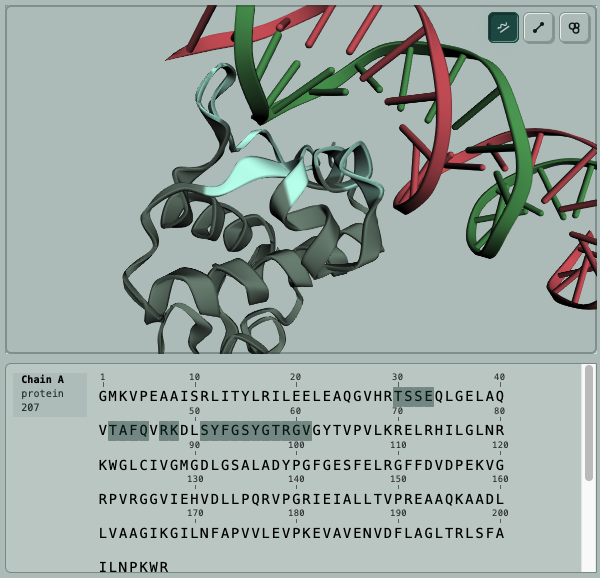
Subseq is a workbench for protein design and biomolecular computation. Upload structures or sequences, configure jobs in the UI, track progress, inspect results, and download the files you need for the next experiment.
It is built for scientists who want curated computational biology programs without rebuilding the same job plumbing for every target, dataset, and candidate campaign.
Capabilities
Pipelines
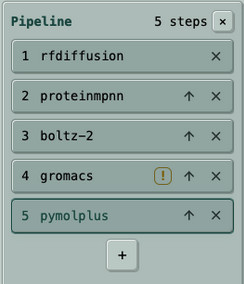
Pipelines chain compatible jobs into a repeatable campaign. A typical design review can move from backbone generation to sequence design, structure prediction, relaxation, and a final figure without manually rebuilding each step.
Example: RF Diffusion generates candidate backbones, LigandMPNN designs sequences, Boltz-2 predicts and scores structures, GROMACS performs a relaxation or MD check, and PyMOL+ renders review images.
- Use pipelines after the individual steps and file handoffs are known to work.
- Keep intermediate jobs available for inspection, filtering, and troubleshooting.
- Use standalone jobs when a scientist should choose a specific file between steps.
Pricing
SubSeq uses pay-per-runtime credits. Each program has transparent pricing so you can estimate a run before submitting it, and completed jobs report the credits spent. The goal is to make exploratory one-off jobs and larger campaigns predictable without subscriptions or opaque usage tiers.
Guided Design Support
SubSeq also offers guided design support. Contact support@subseq.bio with inquiries.
Ways To Use SubSeq
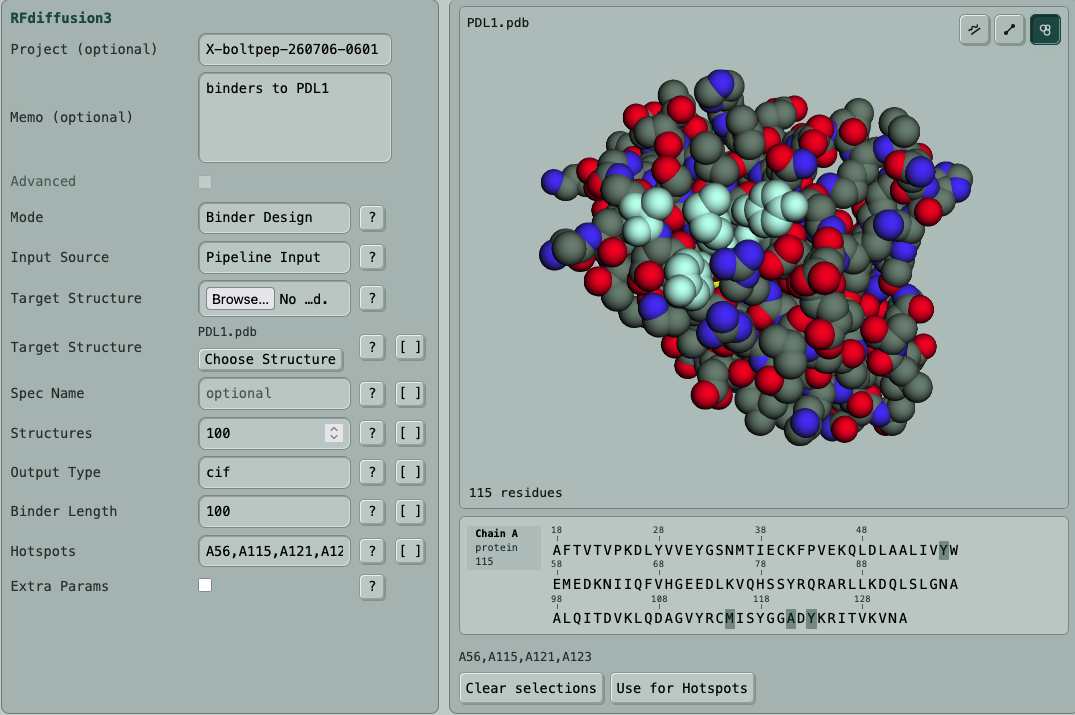
The web app is the main interactive workspace: choose a program, upload or select data, set the canonical job configuration, then inspect status and outputs.
For automation, the same jobs and datasets are available through the REST API and MCP server. Teams let a lab share credits, jobs, datasets, projects, pipelines, and API keys.
- Form fields match the structured parameters used by API and MCP submits.
- Projects and memos keep exploratory runs findable later.
- Advanced options stay available when a run needs lower-level control.